Clinic Management Software in India (2026): Pricing & Features Compared
HomeoAxis clinic management software starts at ₹1,599/month billed annually, with plans for solo, growing and multi-branch homeopathy clinics, plus a 14-day full-system trial.
Author: HomeoAxis Content Team
Expert Reviewer: Prashant Singh, CTO, HomeoAxis
Affordable clinic management software in India can cost about ₹180 to ₹2,400 per month on published annual plans, depending on the provider and features included. Small clinics should compare annual pricing, patient records, appointments, prescriptions, billing, reminders, and support before buying. Homeopathy clinics should also check case-taking, repertory, potency, and pharmacy workflows.
What Is Affordable Clinic Management Software?
Affordable clinic management software is a digital system that brings routine clinic operations such as patient records, appointments, consultations, prescriptions, billing, and follow-ups into one workflow.
For a small clinic, affordability means getting the functions you actually need at a predictable total cost. A low monthly subscription is not automatically better if important features, users, communication credits, or integrations require additional charges.
The most useful test is whether your team can complete a normal patient journey without moving between several disconnected systems:
New patient → appointment → consultation → record → prescription → payment → follow-up
How Much Does Clinic Management Software Cost in India?
Published annual-plan prices for clinic management software currently range from about ₹180 to ₹2,400 per month, depending on the platform, plan, and features. These figures are useful for comparison, but the plans are not identical, so clinics should check exactly what each subscription includes.
Source: Each provider's official pricing information, checked in October 2026.
Platform
Published price
Approx. annual cost
Trade-off
Appointik
₹179/month billed annually; ₹199–₹499/month on monthly plans
₹2,148/year at annual rate
Low entry price, but it is general clinic software rather than homeopathy-specific software
DoctorsApp
₹10,999–₹16,999/year + 18% GST
₹12,979–₹20,059 including 18% GST
Broader EMR and a Homoeopathy EMR, but WhatsApp credits are limited on the lower plan
Cufront
₹14,999/year, billed annually
₹14,999/year
Flat annual pricing with WhatsApp and language support, but it is general clinic software
HomeoAxis SSR Profile
₹1,599/month billed annually
₹19,188/year before applicable taxes
Higher price than basic plans; designed for practices needing a homeopathy-focused profile and workflow
HomeoAxis Solo
₹2,399/month billed annually
₹28,788/year before applicable taxes
Higher entry cost, but designed for a clinic with up to two doctors and broader homeopathy practice-management features
The SSR Profile is a HomeoAxis plan intended for practices that need a homeopathy-focused profile and online presence without moving to the full Solo clinic-management plan.
Appointik publishes an annual-billing starting rate of ₹179/month and monthly plans from ₹199, while also stating that there are no per-doctor or per-staff fees. Cufront publishes ₹14,999/year, approximately ₹1,250/month when billed annually, along with WhatsApp reminders and support for 23 languages. DoctorsApp publishes annual plans of ₹10,999 and ₹16,999, with 18% GST shown separately.
HomeoAxis is our product, so treat this as a buyer's guide rather than an independent ranking.
What Is the Real Clinic Management Software Cost?
The actual cost depends on the annual subscription and any additional charges for users, branches, communication, integrations, migration, or other services your clinic needs.
For example, the published HomeoAxis Solo annual-billing price of ₹2,399/month gives an annual subscription cost of ₹28,788 before applicable taxes.
This is an annual subscription calculation, not a complete total-cost-of-ownership estimate. Any separate communication, migration, integration, or other charges should be added when comparing the plan with alternatives.
Before buying, calculate:
Annual software cost = subscription + additional users/branches + paid communication + integrations + migration/setup charges
If you dispense medicines, make sure the software includes inventory, batch, expiry, and stock management. If you operate multiple branches, compare the additional-location cost before choosing an entry-level plan.

Which Clinic Management Software Features Should You Compare?
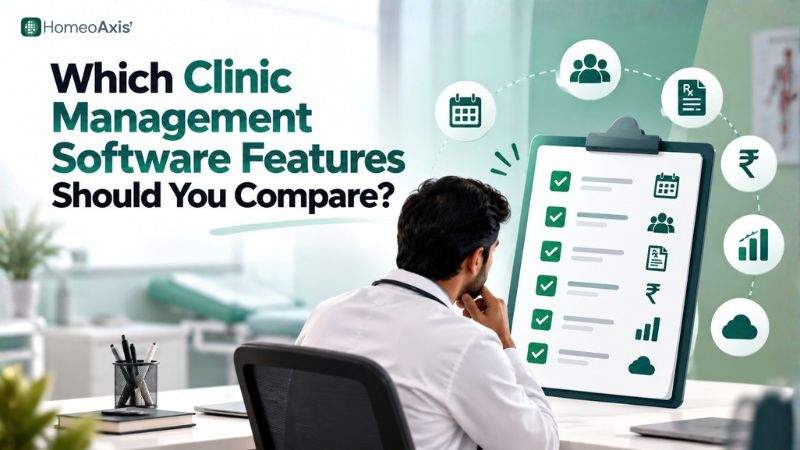
The essential clinic management software features are patient management, appointment scheduling, electronic medical records, prescriptions, billing, communication, inventory, reporting, security, and data export.
Patient Management and Electronic Medical Records
Patient management should give doctors quick access to previous consultations, medical history, prescriptions, documents, and follow-ups.
Check for:
Patient profiles
Medical history
Consultation notes
Electronic medical records
Document storage
Previous prescriptions
Follow-up tracking
Searchable records
Staff permissions
For small clinics, fast retrieval and simple data entry are often more useful than a long list of advanced modules.
Appointment Scheduling and Online Booking
Appointment scheduling software should reduce manual coordination between patients, doctors, and reception staff.
Look for:
Online appointment booking
Doctor availability
Follow-up appointments
Rescheduling
Appointment reminders
Multiple doctors
Multiple locations
Patient self-booking
If your clinic manages walk-ins, also check whether queue or token management is available.
Digital Prescriptions and Billing
Digital prescriptions should remain connected to the patient's consultation history rather than becoming separate documents.
For billing, check for:
Consultation billing
Payment tracking
Invoices
Pharmacy billing
Refunds
Financial reports
UPI or online payment support
For Indian clinics, distinguish between routine consultation billing and GST invoices for pharmacy or medicine sales, based on your business's applicable tax requirements.
Patient Communication
Patient communication software can automate routine appointment and follow-up messages.
Depending on the provider, this can include:
WhatsApp reminders
SMS alerts
Follow-up reminders
Prescription sharing
Payment notifications
Patient portals
Appointment updates
Always check whether communication credits are included or charged separately.
Which Clinic Management Software Is Best for Small Clinics?
The best clinic management software for a small clinic depends on its budget, specialty, workflow, and required features.
For a practical starting point:
Tightest budget: Appointik offers the lowest published annual-plan entry price in this comparison.
Flat annual plan with WhatsApp and language support: Cufront is worth comparing.
Broader EMR with a Homoeopathy module: DoctorsApp is worth considering.
Deep homeopathy case workflow plus pharmacy: HomeoAxis is designed for this combination.
These are best-fit recommendations, not overall rankings. The right choice depends on which features your clinic will actually use.
What Makes Homeopathy Clinic Software Different?
Homeopathy clinic software should support detailed case-taking, repertory, potency, prescription, follow-up, and medicine-management workflows rather than treating the practice as a generic appointment-and-billing operation.
Homeopathy-specific functionality can matter in several areas.
Detailed Case-Taking
A homeopathic consultation can involve detailed information that needs to remain accessible during subsequent follow-ups.
HomeoAxis lists 15+ homeopathy-specific case-history fields covering areas such as thermal state, thirst, bowel, sleep, mind, menstrual history, family history, and modalities.
This can help keep detailed case information connected to the patient's record instead of requiring practitioners to recreate the same information during every follow-up.
Repertory and Case Analysis
Repertory functionality can help practitioners organise case information for repertory-based analysis.
HomeoAxis lists repertory functionality alongside other homeopathy-focused capabilities. During a demo, ask the provider to demonstrate a multi-complaint patient rather than showing only patient registration or appointment booking.
This lets the doctor evaluate whether the case workflow actually fits their practice.
Potency and Prescription Management
Potency management is another area to examine when comparing homeopathy clinic software.
The software should allow the practitioner to record medicine, potency, dosage or instructions, and prescription history without unnecessary duplicate entry.
For clinics dispensing medicines, prescription management should ideally connect with inventory and pharmacy workflows.
Medicine Management and Pharmacy
If your clinic dispenses medicines, make sure the software includes stock management, batch and expiry tracking, medicine requests, billing, and dispatch capabilities.
HomeoAxis lists pharmacy, inventory, medicine management, and medicine-dispatch functionality. These should still be demonstrated during a product trial rather than evaluated only from feature names.
A Note on Homeopathy-Specific Software
Homeopathy functionality is not exclusive to HomeoAxis. DoctorsApp, for example, publishes a dedicated EMR for Homoeopaths.
The better comparison is how deeply each platform supports the complete workflow:
Case history → analysis → repertory → potency → prescription → pharmacy → follow-up
That is the workflow a homeopathy doctor should test before buying.
Is Cloud-Based Clinic Management Software Better Than Desktop Software?
Cloud-based clinic management software is generally more suitable when doctors or staff need access from multiple devices or locations.
Choose cloud-based software when you need:
Access across devices
Multiple clinic locations
Remote access
Online appointments
Centralised patient records
Automatic backup functionality
Desktop software may still suit practices with specific local-installation or offline requirements.
Before choosing either model, ask where data is stored, how backups work, what happens when the subscription ends, and whether patient records can be exported.
What Should Indian Clinics Check Before Buying?
Indian clinics should check payment options, GST requirements, WhatsApp communication, regional-language support, ABDM/ABHA requirements, and applicable data-protection obligations before selecting software.
GST and UPI
For pharmacy or medicine sales, check whether the billing system supports the GST documentation applicable to your business.
If your clinic accepts digital payments, verify whether UPI or payment-gateway integration is available.
WhatsApp and Regional Languages
If your patients primarily communicate through WhatsApp, confirm that the software supports the reminders and notifications you need.
Language support should also be checked at the feature level. Appointik publishes support for 20 languages, while Cufront publishes 23 Indian languages for selected features.
ABDM and ABHA
ABDM and ABHA functionality varies between healthcare platforms.
If your clinic requires it, ask the vendor to demonstrate exactly which ABDM/ABHA functions are supported instead of assuming that all healthcare software provides the same integration.
Refer to the official Ayushman Bharat Digital Mission resources for current information about India's digital-health ecosystem.
Data Protection
Patient information is sensitive, so clinics should ask about:
Access controls
User permissions
Backups
Data export
Data deletion
Retention
Security measures
Applicable privacy obligations
The Digital Personal Data Protection Act, 2023 provides India's statutory framework for digital personal data. The DPDP Rules, 2025 were subsequently notified with phased commencement, so most substantive obligations phase in through 2027. Clinics should therefore ask providers about the obligations and implementation applicable to their service.
Refer to the official Digital Personal Data Protection Act, 2023 for the statutory text.
Is Free Clinic Management Software Good Enough?
Free clinic management software can be suitable for basic workflows, but clinics should check patient limits, storage, support, data export, and which features remain available as usage increases.
A free plan can be useful for testing digital records and appointment workflows. It becomes less attractive when your clinic needs extensive communication, pharmacy, multiple users, reporting, or advanced integrations.
DoctorsApp also has a free-tier EMR offering reported by Techjockey, but the included features and current limits should be confirmed directly with DoctorsApp before relying on it.
How Should You Migrate Existing Patient Data?
Patient-data migration should start with a clean export from the old system and a small test import into the new platform before moving the complete database.
A practical process is:
Export the existing data.
Remove duplicate records.
Map the old fields to the new system.
Test a small sample.
Verify patient details and history.
Correct any mapping problems.
Import the remaining records.
Keep the original backup until migration is verified.
Ask whether the provider supports CSV/Excel imports, documents, historical records, and existing patient IDs.
Appointik documents CSV/XLSX patient import, field mapping, duplicate detection, and preservation of existing patient IDs/MRNs. DoctorsApp also states that it assists with uploading old patient data.
What Other Features Should Small Clinics Consider?
Small clinics should add telemedicine, queue management, mobile apps, regional languages, and advanced communication features when those functions solve a specific operational requirement.
Use these practical rules:
If your waiting room is crowded: look for queue or token management.
If you conduct online consultations: require integrated video consultation.
If doctors work away from reception: require mobile or browser access.
If patients speak different languages: check language support for prescriptions and reminders.
If you dispense medicines: make sure the software includes batch, expiry, and inventory management.
If you operate multiple branches: require multi-clinic access and staff permissions.
If you may change software later: require reliable patient-data export.
This approach prevents clinics from paying for features they will never use while ensuring that important operational requirements are covered.
What Are the Signs That Your Clinic Needs Better Software?
A clinic should consider changing its software when administrative work is spread across paper registers, spreadsheets, separate billing tools, messaging applications, and disconnected appointment systems.
Common warning signs include:
Staff entering the same information repeatedly
Difficulty finding previous patient records
Missed follow-ups
Manual appointment reminders
Separate billing and patient records
No central medicine inventory
Difficulty managing multiple doctors
Poor data-export options
Patients repeatedly calling for appointment updates
If several of these problems occur regularly, compare platforms based on the specific workflow causing the problem.
Why Should You Take a Clinic Management Software Demo?
A clinic management software demo lets you test the complete patient journey before committing to a subscription.
Ask the vendor to demonstrate:
New patient → appointment → consultation → case history → prescription → billing → follow-up
For a homeopathy clinic, continue with:
Case analysis → repertory → potency → prescription → pharmacy → medicine dispatch
Also test:
Returning patients
Multi-complaint cases
Cancelled appointments
Staff permissions
Data export
Patient migration
Mobile access
Reports
Pharmacy transactions
Do not judge software only by the number of features listed on its website. Test how many steps your staff actually need to complete daily tasks.
How Does HomeoAxis Fit This Comparison?
HomeoAxis is designed for homeopathy practices that need specialty-focused case management alongside everyday clinic operations.
Its published Solo plan is ₹2,399/month when billed annually and is designed for one clinic with up to two doctors. The platform lists patient records, appointments, e-prescriptions, billing, inventory, pharmacy, repertory, WhatsApp notifications, online payments, video consultations, and other practice-management capabilities.
The higher price compared with some entry-level competitors reflects its combination of homeopathy-specific clinical workflows and broader clinic-management functions. Clinics should still use the available trial or demo to determine whether those additional capabilities justify the difference for their practice.
Frequently Asked Questions
What is clinic management software?
Clinic management software brings patient records, appointments, consultations, prescriptions, billing, follow-ups, and communication into a digital workflow. The right platform depends on the clinic's size, specialty, staff, and operational requirements.
How much does clinic management software cost in India?
Published annual-plan prices in this comparison range from about ₹180 to ₹2,400 per month. Compare annual cost, users, branches, communication, integrations, migration, and applicable taxes rather than comparing only the headline monthly price.
Which is the cheapest clinic management software in India?
Among the published annual-plan prices compared here, Appointik has the lowest entry price at ₹179/month when billed annually. The cheapest option is not necessarily the best fit, so check the included features, users, support, and future upgrade costs.
Which features does a small clinic really need?
Start with patient records, appointments, prescriptions, billing, reminders, secure access, and data export. Add pharmacy, telemedicine, queue management, or multi-clinic features when your workflow requires them.
Is free clinic management software worth using?
Free software can be useful for basic workflows, but check patient limits, storage, support, exports, and feature restrictions before using it as your long-term system.
Cloud or desktop: which is better?
Cloud software generally suits clinics needing access across devices or locations. Desktop software can work for practices with specific local-installation or offline requirements.
Which software is best for homeopathy clinics?
Compare case-taking, repertory, potency, prescription, follow-up, pharmacy, and patient-management workflows. DoctorsApp also offers a dedicated EMR for Homoeopaths, so compare workflow depth rather than assuming specialty support is exclusive to one platform.
Can one system handle pharmacy and billing?
Yes. Some platforms combine patient management, prescriptions, billing, inventory, and pharmacy functions. Clinics that dispense medicines should confirm batch, expiry, stock, returns, and pharmacy billing support.
How do I migrate existing patient data?
Export your existing data, clean duplicates, map fields, test a sample import, verify the records, and then migrate the remaining database. Confirm whether the provider supports documents and historical records.
Is patient data safe, and who owns it?
Review the provider's privacy policy, security controls, retention policy, backup process, deletion process, and data-export terms before purchasing. Do not rely only on a generic security or compliance claim.
Do I need ABDM or ABHA integration?
Only if your clinic's workflow requires it. If it does, ask the provider to demonstrate the exact ABDM/ABHA functionality supported by the platform.
Is GST charged on clinic management software?
GST treatment depends on the software provider's billing and the applicable tax rules. Check whether the quoted software price is inclusive or exclusive of GST and compare all providers on the same tax basis.
Final Takeaway
The most affordable clinic management software is not necessarily the cheapest plan; it is the platform that gives your clinic the required workflow at a predictable total cost.
For a small Indian clinic, start with patient management, appointments, electronic records, prescriptions, billing, reminders, and secure access. Add pharmacy, inventory, telemedicine, queue management, regional-language support, or multi-clinic functionality when those features solve an actual operational need.
For homeopathy doctors, test the clinical workflow in addition to the administrative features. Case history, repertory, potency, prescription, medicine management, pharmacy, and follow-ups should be practical to use together.
Before purchasing, compare annual pricing, test a complete patient journey, verify migration and data-export options, and ask vendors to demonstrate any India-specific integrations you require.
The right software should make the clinic easier to operate today while providing enough flexibility to support future growth.