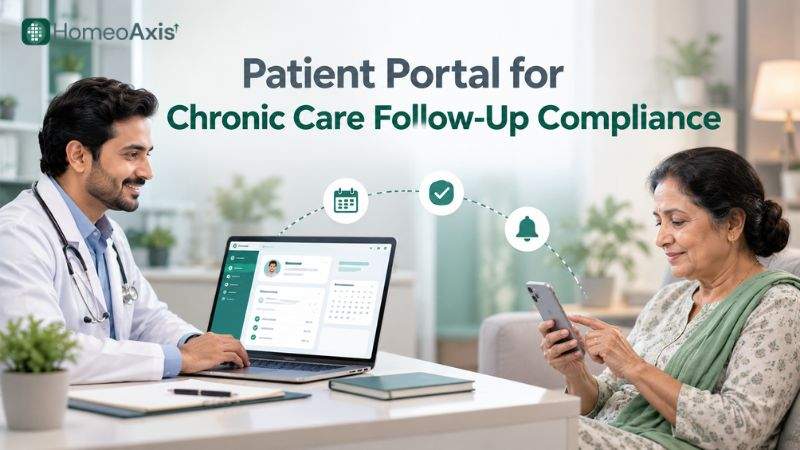
A patient portal helps chronic-care patients view appointments, receive follow-up reminders, access relevant information and reconnect with their clinic after a missed visit. By combining patient communication with organised clinic workflows, it can make follow-ups easier to manage. Results depend on patient access, consent, message delivery and staff follow-through.
Key Takeaways
A patient portal supports chronic care by making appointments, relevant records and follow-up communication easier to access.
Patient adherence to follow-up appointments can be affected by forgetfulness, work commitments, unclear return dates and rescheduling difficulties.
Appointment reminders can improve attendance, but a reminder alone cannot guarantee that a patient will attend.
A missed-appointment workflow helps clinics identify patients who need a new appointment instead of leaving missed visits unresolved.
Clinics should compare portal features, communication options, privacy controls, reporting and total costs before selecting software.
A patient portal for chronic disease management should support continuity of care without replacing clinical judgement or direct communication when needed.
Why Follow-Up Compliance Matters in Chronic Care
Follow-up compliance matters because chronic care often involves repeated consultations, progress reviews, changes in reported symptoms and ongoing monitoring. When patients miss scheduled visits, clinicians may have less opportunity to review progress and decide whether the care plan needs adjustment.
A patient portal for follow-up care can make it easier for patients to check appointment details and receive reminders. It also gives clinic teams a more organised way to track scheduled visits and identify missed appointments that need attention.
Why do patients miss follow-up appointments?
Patients may miss appointments for several practical reasons:
Forgetfulness: Patients may forget a date or lose track of when they are expected to return.
Work and travel commitments: Professional responsibilities, family duties and travel can conflict with appointment times.
Unclear return dates: Patients may not remember the recommended follow-up date or may be unsure whether they need to book another visit.
Difficulty rescheduling: Patients may not know whom to contact when they cannot attend.
Communication gaps: A reminder may not reach the patient, may arrive too late or may be sent through a channel they rarely check.
These barriers are not always a sign that patients are unwilling to continue care. Some can be addressed through clearer appointment instructions, convenient rescheduling and timely communication.
What does the evidence say about reminders?
A 2016 systematic review published in BMJ Open included 26 articles, with 21 studies in its primary meta-analysis. Patients receiving electronic text notifications were 23% more likely to attend appointments than those receiving no reminders. Attendance was 67% versus 54%, while no-show rates were 15% versus 21%.
Source: BMJ Open systematic review.
A 2013 Cochrane review included eight randomised controlled trials involving 6,615 participants. In the seven-study comparison involving 5,841 participants, attendance was 78.6% with mobile text-message reminders and 67.8% without reminders. These results relate to appointment attendance, not proof that reminders improve the clinical outcomes of every chronic condition.
Source: Cochrane review.
The findings support reminders as a practical way to improve attendance. However, results may vary by patient group, communication method, appointment type and implementation.
How a Patient Portal Improves Follow-Ups
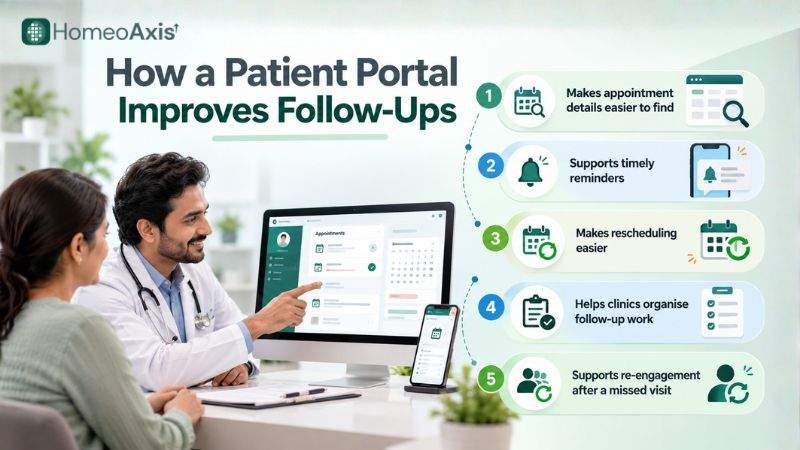
A patient portal can support follow-up compliance by giving patients a convenient place to check appointment details and access relevant clinic information. For clinic teams, it can reduce reliance on scattered messages, manual lists and individual staff members remembering whom to contact.
Makes appointment details easier to find
Patients can refer to the appointment information available through the portal instead of relying entirely on a phone call or a message they may have misplaced. Clear dates and times can reduce confusion about when to return.
Supports timely reminders
Automated patient follow-up reminders can help clinics communicate before a scheduled visit or follow up after an appointment has been missed. Depending on the software, messages may be sent through a patient portal, SMS or WhatsApp.
The clinic should confirm that the selected software supports the required channels, reminder rules and patient preferences.
Makes rescheduling easier
Patients who cannot attend may be more likely to reconnect with the clinic when the next step is clear. A portal or connected communication workflow can direct them to a booking link, contact number or rescheduling process.
A reminder should not simply tell patients that they have missed an appointment. It should explain how they can contact the clinic to arrange another visit.
Helps clinics organise follow-up work
When appointments and communication records are organised in one system, staff can more easily identify upcoming visits, missed appointments and follow-ups that still need attention. This is particularly useful when a clinic manages many returning patients.
Supports re-engagement after a missed visit
A 2024 randomised clinical trial examined an electronic health record message sent within one business day after a missed ophthalmology appointment. Patients in the intervention group received the message as well as a standard mailed letter. Within 30 days, 22.2% of the intervention group attended a rescheduled appointment, compared with 11.6% of the control group.
This study tested re-engagement after a missed appointment, not prevention of no-shows. It also took place in an ophthalmology setting, so the results should not be treated as a guaranteed outcome for chronic-care or homeopathy clinics.
Source: 2024 randomised clinical trial.
Manual vs Portal-Based Follow-Up
A portal-based process does not remove the need for clinic staff. It can, however, make routine communication and tracking more consistent.
Follow-up task | Manual process | Portal-based or connected digital process |
Appointment reminders | Staff call or message patients individually | Supported reminders can be scheduled or automated |
Appointment details | Patients may need to search for an old message or call the clinic | Patients can check available appointment information in the portal |
Missed appointments | Staff may discover missed visits by reviewing lists or messages | The system may help flag missed visits for follow-up |
Rescheduling | Patients contact the clinic through available channels | The portal or connected workflow can direct patients to the rescheduling process |
Follow-up records | Notes may be spread across messages, registers and staff records | Communication and appointment information can be organised in one system |
Performance tracking | Staff may calculate attendance manually | Reports may help compare attendance and no-show rates over time |
The exact capabilities depend on the software. Clinics should confirm which functions are included rather than assuming that every patient portal offers automated reminders, online rescheduling or detailed reporting.
Essential Patient Portal Features
The best patient portal for chronic care management should make common patient tasks simple while giving clinic staff enough visibility to manage follow-ups.
Feature | Why it matters |
Appointment visibility | Helps patients check scheduled visits and appointment details |
Appointment reminders | Supports timely communication before appointments |
Rescheduling instructions | Gives patients a clear next step when they cannot attend |
Relevant record access | Helps patients find information the clinic has made available to them |
Follow-up tracking | Helps staff identify upcoming and missed appointments |
Communication history | Makes it easier to review previous patient contact |
Access controls | Helps restrict patient and staff access according to their roles |
Reporting | Allows clinics to monitor attendance, no-shows and follow-up completion |
Mobile-friendly access | Makes information easier to check on a phone |
Data export and support | Helps clinics understand how records can be retrieved and what assistance is available |
Before choosing software, ask whether these features are included in the plan, whether messaging charges apply and whether patients can use the portal without installing a separate application.
Reminder Timing and Message Templates
Appointment reminders work best when they are timely, clear and sent through a communication channel the patient has agreed to use. Clinics should establish a consistent process rather than relying on staff to remember each message.
A practical reminder schedule
The following is a suggested clinic workflow, not a universal medical rule:
One to two days before the appointment: Send a reminder with the date, time and clinic contact details.
On the appointment day: Send an additional reminder if appropriate, useful and consistent with the patient's preferences.
After a missed visit: Send a short message the same day, where practical, with instructions for contacting the clinic.
Within 48 hours: If there is no response and follow-up is appropriate, ask a staff member to call or make another permitted contact attempt.
After the contact attempt: Record the outcome and follow the clinic's policy for any further contact.
Avoid sending so many reminders that patients feel overwhelmed. The appropriate frequency depends on the appointment type, patient preferences, consent and clinic policy.
Appointment reminder template
Hello [Patient Name], this is a reminder of your appointment with [Clinic Name] on [Date] at [Time]. If you need to reschedule, please contact us at [Clinic Contact]. Thank you.
Missed-appointment template
Hello [Patient Name], we noticed you could not attend your appointment with [Clinic Name]. If you would like to arrange another appointment, please contact us at [Clinic Contact]. We will be happy to help.
Follow-up due template
Hello [Patient Name], your clinic has indicated that it may be time to arrange your next follow-up. Please contact [Clinic Name] at [Clinic Contact] to confirm a suitable appointment.
These messages avoid including a diagnosis or sensitive treatment details. Clinics should personalise them only with information appropriate for the chosen channel and the patient's communication preferences.
Why WhatsApp may be useful in India
The Digital 2026 Global Overview Report, published in October 2025 and based on GWI Q2 2025 data, reports that 84.6% of Indian internet users aged 16 and above used WhatsApp at least once in the previous month.
Source: Digital 2026 Global Overview Report.
This figure describes reported platform use among internet users; it does not establish that every patient uses WhatsApp or has consented to receive healthcare messages through it. Clinics should respect each patient's communication preferences and applicable consent requirements.
A Workflow for Missed Appointments
A clear missed-appointment workflow helps clinics turn an unattended appointment into a manageable follow-up task.
Identify the missed visit. Update the appointment status so the clinic can distinguish a missed appointment from a completed or cancelled one.
Send a suitable message. Use the patient's permitted communication channel and provide a simple way to contact the clinic.
Record the response. Note whether the patient replied, requested a new date or could not be reached.
Offer rescheduling. Help the patient choose another suitable appointment when they want to continue care.
Escalate when appropriate. Follow the clinic's policy if the patient needs direct staff contact or clinician review.
Review unresolved cases. Use a daily or weekly list to check that missed appointments have not been left without an appropriate next step.
Workflow diagram
Appointment booked → Reminder sent → Patient attends or misses visit → Status updated → Reschedule or recover missed visit → Next review recorded
A visual diagram can be created from this workflow for the published page.
Why the workflow matters
Sending a reminder is only one part of follow-up management. Clinics also need to know what happened after the reminder, whether the patient attended and whether another contact attempt is appropriate.
A digital workflow is useful when it makes those next steps visible. It should not automatically treat every missed visit as a clinical emergency or replace the clinician's judgement about the urgency of follow-up.
A Practical Example for a Homeopathy Clinic
Consider a homeopathy clinic that manages patients returning for repeated consultations. During each visit, the doctor records the case history, reviews the patient's reported changes and decides when another appointment is appropriate.
Without a consistent follow-up process, the return date may be mentioned verbally, written in a register or sent through a message that is difficult to find later. Reception staff may then need to search multiple sources to identify who is due for a visit.
A patient portal and connected clinic-management workflow can make this process more organised:
The clinic records the next appointment or follow-up plan.
The patient receives a suitable reminder through an enabled communication channel.
Appointment attendance is updated in the system.
If the patient misses the visit, staff can identify the case and offer rescheduling.
The clinician reviews the patient's reported changes during the next consultation and decides on the appropriate next steps.
For chronic conditions such as asthma, diabetes, thyroid disorders, arthritis, migraine, PCOS and recurring skin conditions, follow-up intervals and clinical decisions must remain with the treating clinician. A portal supports communication and record organisation; it does not establish treatment effectiveness or replace clinical assessment.
Security and Patient Adoption
Patients are more likely to use a portal when it is easy to access and they understand what it is for. Clinics should explain how to log in, where to find appointment information and whom to contact if they need help.
Before adopting a portal, check the following safeguards:
Role-based access: Staff should access only the information needed for their responsibilities.
Encryption: Confirm how data is protected in transit and at rest.
Audit logs: Check whether the system records relevant access and activity.
Backups and recovery: Understand how records can be restored after an incident.
Consent and communication preferences: Keep appropriate records of patient permissions and preferred contact methods.
Account security: Check available authentication and account-recovery controls.
Data export and deletion: Understand how records can be retrieved and what happens when the clinic leaves the service.
Clinics should also consider the Digital Personal Data Protection Act, 2023 and the Digital Personal Data Protection Rules, 2025. The Rules were notified on 13 November 2025, with different provisions commencing in phases: Rule 4 is scheduled to commence on 13 November 2026, while Rules 3, 5–16, 22 and 23 are scheduled to commence on 13 May 2027. Other provisions have different commencement arrangements.
Source: Ministry of Electronics and Information Technology: Digital Personal Data Protection Rules, 2025.
Clinics should review the applicable requirements and obtain appropriate advice rather than assume that using a patient portal automatically makes their processes compliant.
India's Ayushman Bharat Digital Mission also describes personal health records as records that individuals can access and manage, including consent management for sharing health information. This is useful context when evaluating digital health records, but it does not mean that every clinic portal is automatically integrated with ABDM.
Source: ABDM information on personal health records.
What to Compare When Evaluating Software
When comparing chronic care management software, evaluate how well the system supports the full follow-up process rather than judging it by the number of features listed on its website.
Consider these questions before choosing a platform:
Does it support the patient journey? Check whether patients can access relevant appointment information and whether staff can track attendance and missed visits.
Which communication channels are available? Confirm whether the software supports portal messages, SMS or WhatsApp and whether additional charges apply.
Can the workflow be configured? Check whether reminder timing, message content and notification rules can be adjusted to clinic needs.
What reporting is available? Look for attendance, no-show and follow-up reports that help the clinic evaluate results.
How are records protected? Review permissions, audit logs, backup procedures and data-export options.
What is the total cost? Include the subscription, communication charges, onboarding, migration and any required integrations.
Will staff and patients use it? A simple, reliable workflow may be more useful than a complex system that people struggle to adopt.
For a homeopathy clinic, also check whether the software supports repeat case-taking, consultation notes and the way the practice records patient-reported changes between visits. These functions help keep follow-up work connected to the consultation process.
How to Measure Results and Estimate ROI
A patient portal should be evaluated using clinic data rather than assumed improvements. Track the same measures before and after implementation, using comparable periods and appointment types.
Useful measures include:
Follow-up attendance rate: Attended follow-up appointments divided by scheduled follow-up appointments, using a consistent definition.
No-show rate: Missed appointments divided by scheduled appointments, excluding cancellations if that is the clinic's chosen definition.
Rescheduling rate: Missed or cancelled appointments that are successfully rescheduled.
Staff time: Time spent sending reminders, contacting patients and managing missed visits.
Message delivery and response: Where the system reports these measures, check how many messages were delivered and whether patients responded.
Cost per additional attended appointment: The additional cost of the workflow divided by the number of additional attended appointments, where that number can be reliably measured.
Illustrative ROI example
The following calculation is an example, not a forecast or guarantee of results.
Assume a clinic manages 200 follow-up appointments per month. If a new workflow is associated with a 6-percentage-point reduction in missed appointments, that would mean 12 additional attended appointments.
If the clinic receives an assumed ₹800 per attended appointment:
Additional gross revenue: 12 × ₹800 = ₹9,600 per month
Illustrative software cost: ₹2,399 per month
Gross revenue less the assumed software subscription: ₹9,600 − ₹2,399 = ₹7,201 per month
The ₹2,399 figure is the published HomeoAxis Pro annual-billing monthly rate, checked on 21 October 2026. It is the relevant comparison here because the Pro plan explicitly includes the patient portal. The ₹1,599/month Lite plan is for a clinic profile and lead capture; it should not be treated as an equivalent full patient-portal plan.
Source: HomeoAxis pricing.
This calculation does not deduct staff time, taxes, messaging charges or other operating costs, and it assumes the additional appointments actually generate the stated revenue. The clinic should replace these assumptions with its own measured data before making a purchasing decision.
How HomeoAxis Supports Clinic Follow-Ups
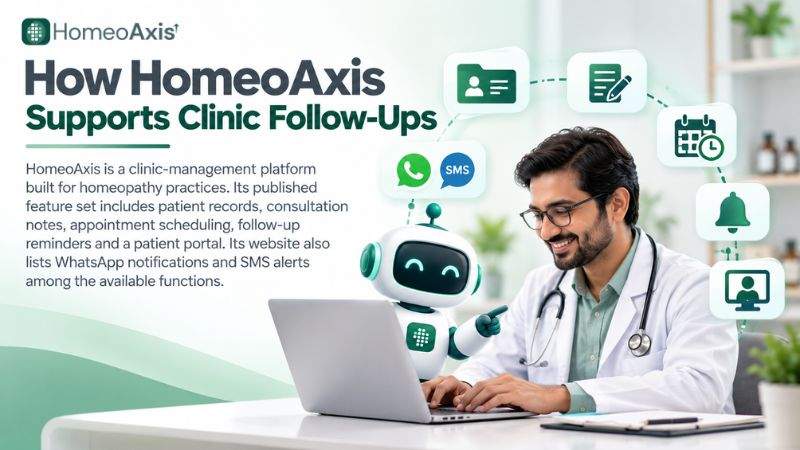
HomeoAxis is a clinic-management platform built for homeopathy practices. Its published feature set includes patient records, consultation notes, appointment scheduling, follow-up reminders and a patient portal. Its website also lists WhatsApp notifications and SMS alerts among the available functions.
For homeopathy clinics, the relevant benefit is having routine appointment and patient-record workflows in the same practice-management system. This can help teams organise repeat consultations and follow-up tasks without relying entirely on separate registers and messaging tools. The clinic should still verify that the chosen plan supports its required workflow and communication settings.
HomeoAxis pricing, checked on 21 October 2026, lists:
Lite: ₹1,599 per month when billed annually for a clinic profile and lead-capture plan.
Pro: ₹2,399 per month when billed annually for the full single-clinic platform, including the patient portal.
Plus: ₹3,999 per month when billed annually, with support for up to three clinics.
Elite: ₹5,999 per month when billed annually, with support for up to five clinics.
The pricing page states that every plan includes a 14-day full-system trial. Lite opens its modules for the first 14 days, while Pro, Plus and Elite include their full feature set from the start. Confirm the latest plan terms before subscribing.
Sources: HomeoAxis features and HomeoAxis pricing.
For clinics evaluating the platform, the next step is to compare the patient portal, reminder workflow, staff access, reporting and total cost with the clinic's existing process.
Frequently Asked Questions
1. What is a patient portal?
A patient portal is a digital service that lets patients access information made available by their healthcare provider. Depending on the system, it may include appointments, records, messages and follow-up information.
2. How does a patient portal improve follow-up compliance?
A patient portal can make appointment details easier to find, support timely reminders and provide a clearer route to rescheduling. Its impact depends on patient access, communication preferences, staff workflows and whether patients act on the messages.
3. Can appointment reminders reduce missed visits?
Yes. Systematic reviews have found that electronic and mobile text reminders can improve appointment attendance compared with no reminders. The size of the effect varies, and reminders do not guarantee that patients will attend.
4. What should a patient portal for chronic disease management include?
It should support appointment visibility, appropriate reminders, access to relevant records, rescheduling instructions, follow-up tracking, privacy controls and useful reporting. Clinics should confirm which functions are included in the selected plan.
5. How often should clinics send follow-up reminders?
A clinic can test a reminder one or two days before an appointment and an additional message on the day when appropriate. The timing should reflect the appointment type, patient preferences, consent and the clinic's own policy.
6. Is WhatsApp suitable for patient follow-up reminders?
WhatsApp may be convenient for patients who use it and agree to receive clinic messages there. Clinics should respect communication preferences and avoid including diagnoses or sensitive treatment details in ordinary messages.
7. What should a clinic do when a patient misses an appointment?
Record the missed visit, send an appropriate message, provide a clear rescheduling option and record the response. Follow the clinic's policy for any additional contact or clinician review.
8. Are patient portals secure?
Security depends on how the portal is designed, configured and used. Clinics should review access controls, encryption, audit logs, backups, consent records, account security and data-export arrangements before adopting a system.
9. Is clinic management software useful for homeopathy practices?
Yes, for clinics that manage repeat consultations and ongoing follow-ups. Software that organises case histories, consultation notes, appointments and follow-up tasks can help staff manage routine workflows. Clinical decisions remain with the treating practitioner.
10. How much does HomeoAxis cost?
As checked on 21 October 2026, HomeoAxis plans start at ₹1,599 per month when billed annually for the Lite clinic-profile-and-leads plan. The Pro plan, which explicitly includes the patient portal, is ₹2,399 per month when billed annually. The pricing page lists a 14-day full-system trial; check the current pricing page for the latest terms.
11. Does a patient portal replace follow-up consultations?
No. A patient portal supports communication and access to information, but it does not replace a consultation or the clinician's assessment. Patients should follow the advice of their treating healthcare professional.
Conclusion
A patient portal can make chronic-care follow-ups easier to organise by helping patients check appointment information, receive suitable reminders and reconnect with the clinic after a missed visit. The greatest value comes when the portal is part of a clear workflow that includes attendance tracking, rescheduling, appropriate communication and staff follow-through.
Clinics should measure attendance and staff workload before and after implementation, review privacy and consent requirements, and compare the complete cost of the software with the functions they actually need. A portal can support continuity of care, but clinical decisions and follow-up intervals should remain with the treating clinician.
Author Bio
Prashant Singh is the CTO and a software expert at HomeoAxis, where his work relates to clinic-management software and digital workflows for homeopathy practices.